Lab Cross Search
Lab Cross Search is a LabCollector feature that enables users to search and retrieve module records — such as reagents, antibodies, primers, and plasmids — across multiple LabCollector instances from a single portal. It supports multi-institutional environments by connecting an unlimited number of instances and organizing search results by instance and module. Administrators can manage connected instances and control user access and data privacy through a dedicated settings menu.
Last updated October 27, 2026
Overview
 Lab Cross Search enables easy searching for module records across different LabCollector instances from any location.
The collaborative catalog within Lab Cross Search allows users to find and share data from modules across other LabCollector local instances. You can search for available reagents, antibodies, primers, plasmids, and more in other labs or within a community. The applications of this remote catalog are diverse, including providing biobanking resources and granting access to data repositories for clients or users.
Key Benefits
- Efficient Data Sharing and Retrieval: Users can easily share and find the data they need in a quick and straightforward manner.
- Suitable for Multi-Institutional Environments: The Lab Cross Search is particularly useful for institutions with multiple instances.

Table of Contents
- User portal
- Search options
- Multiple instances
- Admin portal & Data privacy
1. User portal
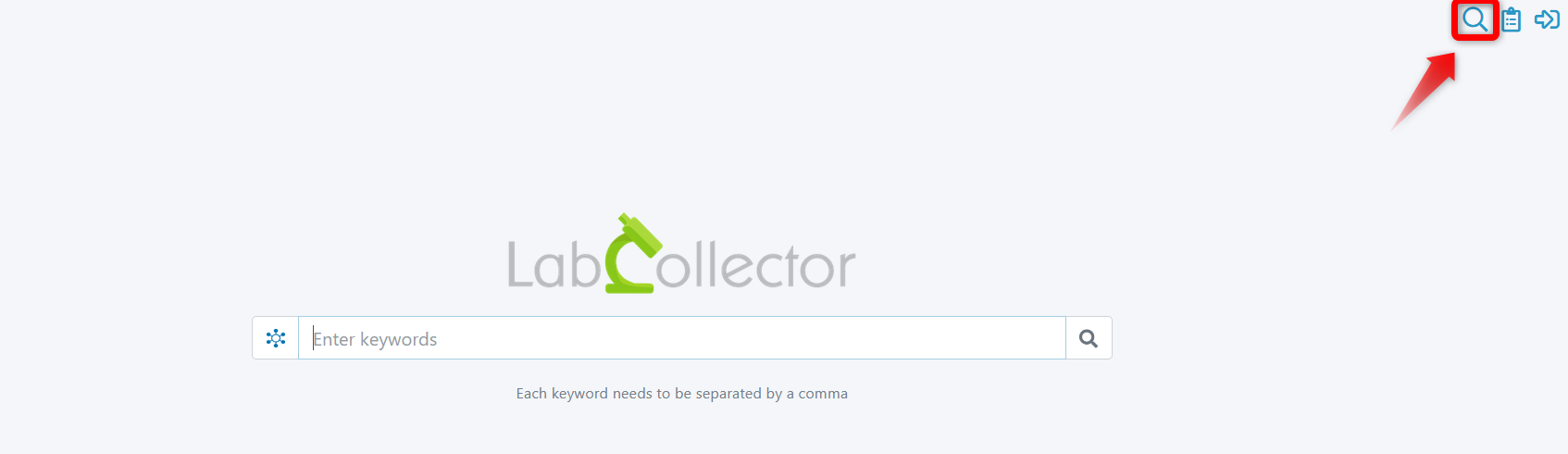
Conduct searches as if you were using a standard search engine. Access to the user portal is restricted to a specific link. The portal resembles the interface shown below. You can always return to the homepage by clicking on the Search icon (magnifying glass) located in the upper right corner of the screen.
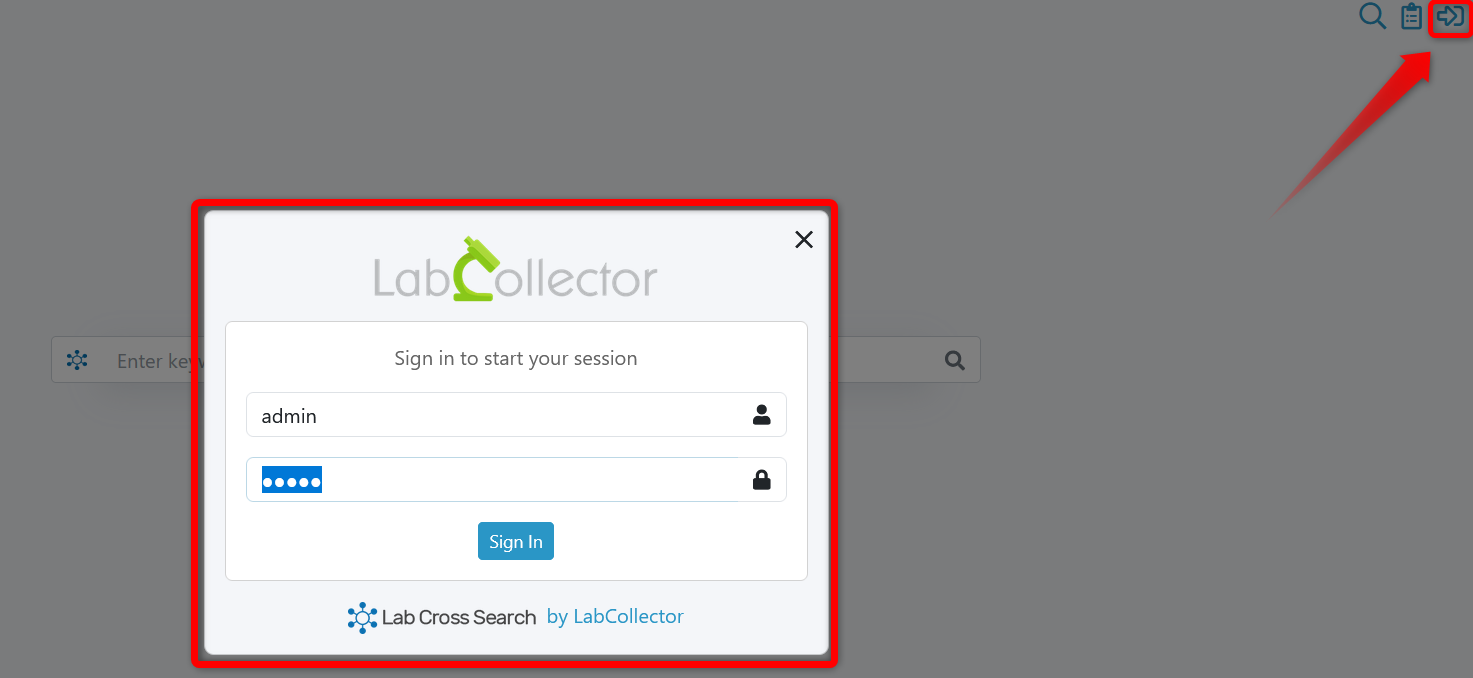
To configure the Lab Cross Search, you must log in to your session. Click on the Log in icon in the upper right corner of the screen.
2. Search options
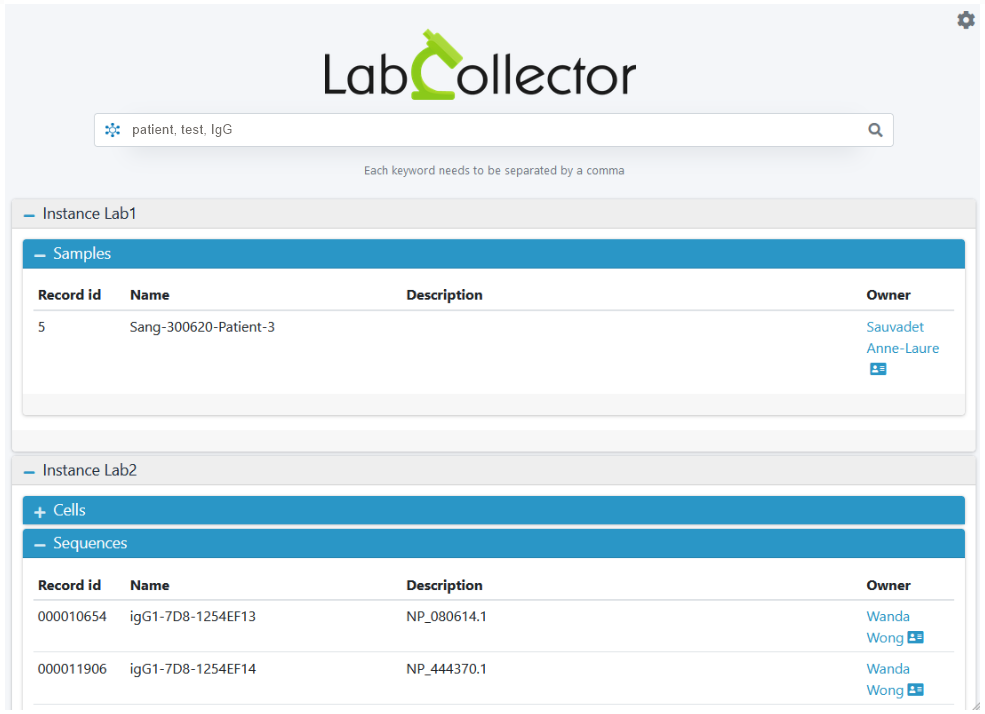
Search across all default and custom modules by typing text directly into the Search bar. To initiate a query, separate your keywords with a comma; this action automatically triggers an “OR” condition. Search results are systematically organized by Instance and Module.
The image below provides an example of a search using three keywords: patient, test, and IgG. The search engine displays all records matching these conditions from Instance Lab1 (within the Samples module) and Instance Lab2 (within the Cells and Sequences modules).
3. Multiple instances
You can connect an unlimited number of instances to ensure a comprehensive search solution for your institution. To manage your connected instances or view user settings, click on the Settings icon in the upper right corner.
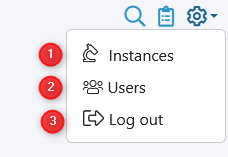
The settings menu provides the following options:
- Instance Management: This option allows you to see and edit the specific LabCollector instances associated with the Lab Cross Search.

- User/Access Control: This section manages authorization and privacy settings for those accessing the data across your connected instances.
Was this article helpful?

 English
 French
 Spanish
 Portuguese
 Italian
 Polish
 German
 Dutch
 Danish
 Swedish
 Greek
 Norwegian
 Finnish
 Romanian
 Hungarian
 Czech
 Slovak
 Hebrew
 Arabic
 Japanese
 Korean
 Ukrainian
 Latvian
 Turkish
 Croatian
 Chinese (Simplified)
 Bulgarian